

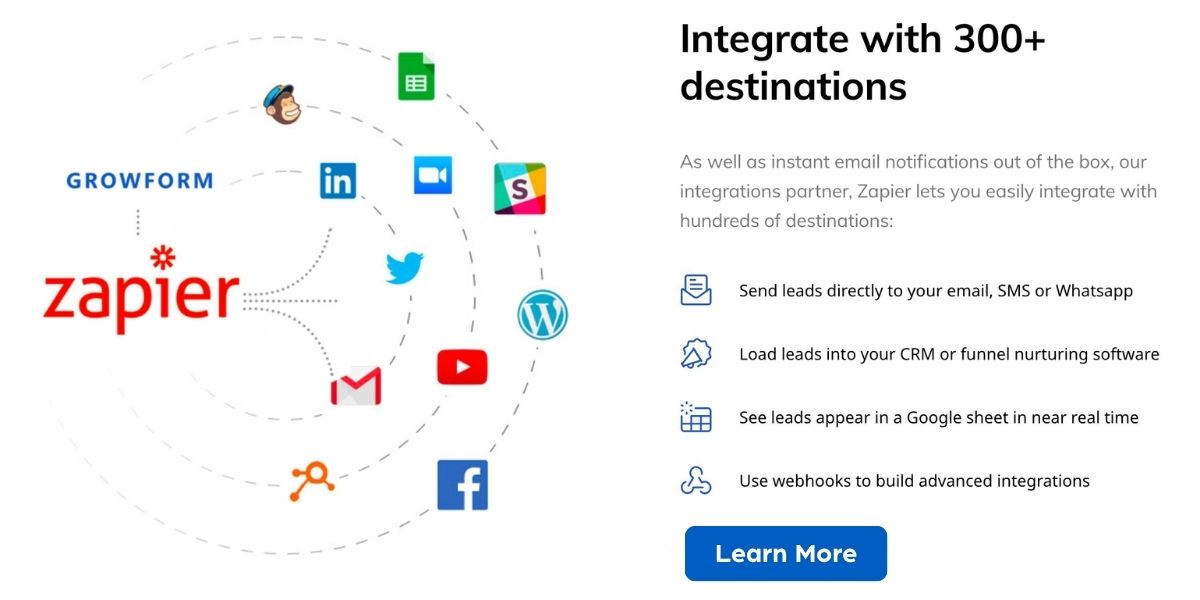
You want to look like a tech genius without having to ghostwrite code. Growform is a no-code form builder focused on lead generation that helps you create multi-step, high-converting forms that match your brand, embed on any site, and connect with 300+ tools via Zapier so you capture more and better-qualified leads.
That matters because the right form turns casual visitors into real conversations and saves you time chasing unqualified prospects.
Growform
You want forms that don’t make you look like you asked your cat to code. Growform gives you a drag-and-drop way to build multi-step, conversion-first forms that actually match your brand and behave properly on different sites.
Use it for everyday lead capture on your homepage, for gated content and webinars, or for special campaigns where you need to qualify leads before they hit your sales team. Embeds are straightforward, styling options keep things on-brand, and the Zapier connections mean the leads land where you already work.
If you value speed, fewer headaches, and higher-quality leads, Growform is an easy go-to for solo creators, small teams, and busy marketers who’d rather spend time closing than troubleshooting forms.
What People Say
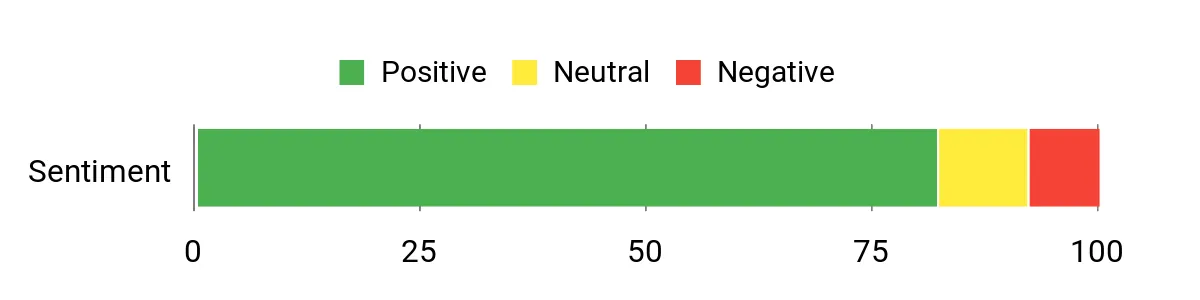
Customer feedback tends to praise Growform for how fast you can go from idea to live form and for the boost in lead quality from multi-step flows. People also note the convenience of Zapier integrations and the clean styling options, while a few users mention it may feel limited for very large or highly custom enterprise setups.
Overall Sentiment: Positive
🗣️ AgencyLead
The multi-step flows helped increase form completion for our landing pages, and embedding into WordPress and Webflow was painless. Zapier hooks reliably pushed leads into our CRM so follow-up stayed timely.
🗣️ SoloMarketer
Templates saved me hours when launching a campaign, and the conditional logic kept the questions relevant so responses were cleaner. Styling controls made the form look like part of the site rather than an afterthought.
| Pros | Cons |
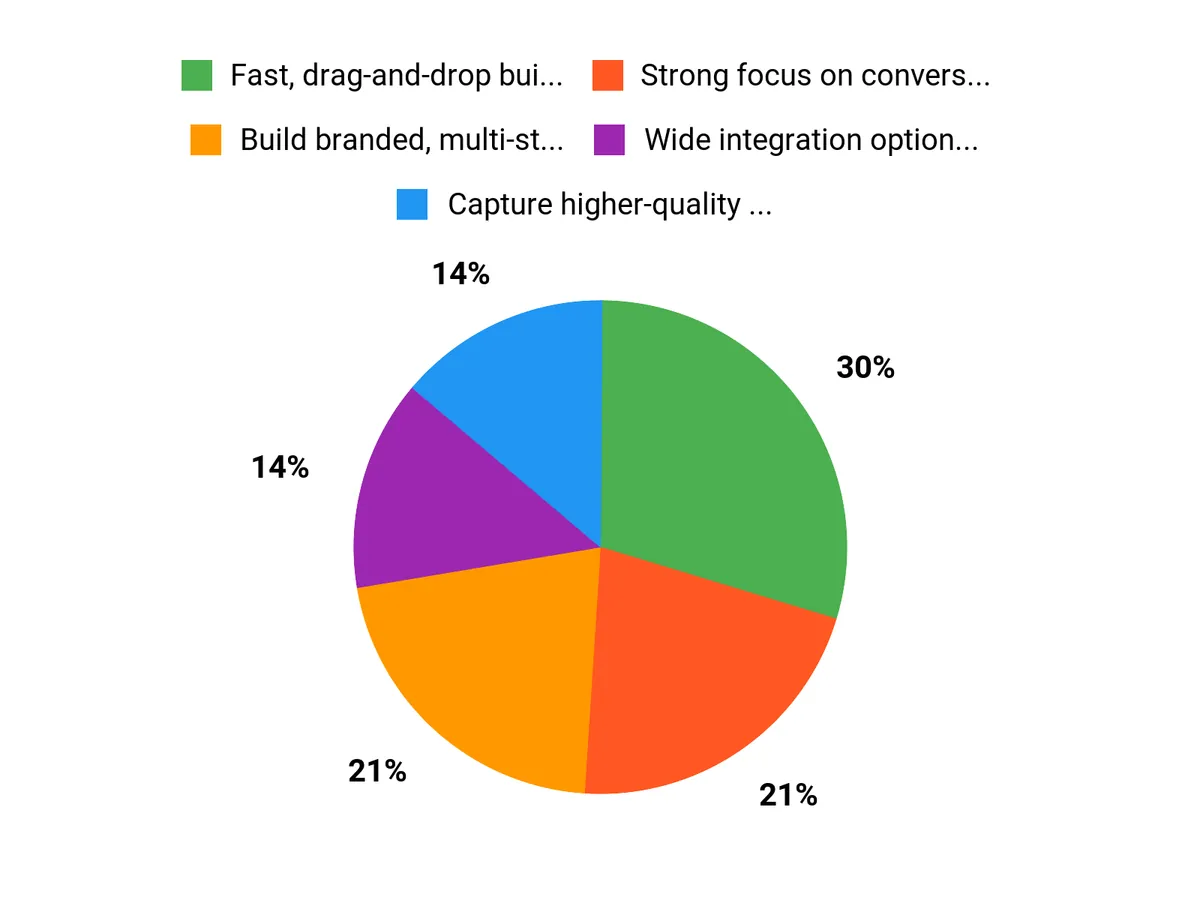
| ✅ Fast, drag-and-drop builder that non-technical users enjoy | ❌ Not positioned as an enterprise-level platform for deeply custom workflows |
| ✅ Strong focus on conversion features like conditional logic and multi-step flows | ❌ Advanced reporting and native integrations could be more robust |
| ✅ Wide integration options through Zapier |
Long-Term Cost Benefits
Using Growform can reduce the time you spend on form-related development and maintenance, cut down on low-quality leads that waste sales time, and speed up campaign launches. Over time that translates into lower operational costs and higher ROI from marketing efforts.
Situational Benefits
| Situation | How it Helps |
| Small Business | You can launch branded lead capture without hiring a developer, turning casual visitors into qualified contacts quickly. |
| Freelancer | Build polished client forms fast so you can ship projects and move on to the next paying gig. |
| Marketing Campaigns | Create targeted multi-step flows to qualify campaign traffic and feed those leads directly into your existing automation. |
Ease of Use
| Feature | Ease Level |
| Form Builder | Easy |
| Templates | Easy |
| Embedding | Moderate |
| Conditional Logic | Moderate |
Versatility
Flexible enough for landing pages, lead magnets, and campaign funnels, though very complex enterprise workflows may need additional tooling.
Customization Options
| Feature | Customization Level |
| Styling and Branding | High |
| Field Logic and Flows | High |
| Templates | Moderate |
Integration Capabilities
| Software | Integration Quality |
| Zapier | Excellent |
| CRMs (via Zapier) | Good |
| Email Providers | Good |
| Web Platforms (WordPress, Webflow) | Good |
Collaboration
Basic team features cover shared forms and exportable lead lists so small teams can collaborate without complex permissions. For heavy-duty role management you might need a larger platform.
Key Benefits
- Build branded, multi-step forms quickly
- Capture higher-quality leads with qualification logic
- Send leads to 300+ tools via Zapier for seamless workflows
FAQ
Is Growform Easy To Use?
Yes, you can get a working form live without calling a developer. The drag-and-drop builder and ready-made templates make basic setups fast, and multi-step flows and conditional logic are presented in a way that’s approachable rather than terrifying. Embedding is usually straightforward on WordPress and Webflow, though you may need a tiny bit of patience the first time you map outputs to your CRM if you’re new to integrations.
Can Growform Connect To My Stack?
Probably, since it plugs into a huge ecosystem via Zapier and 300+ tools, so you can push leads into CRMs, email platforms, spreadsheets, and more. If you rely on a niche system, check for a Zapier action or use webhooks as a fallback, and always run a quick test to confirm field mapping and trigger timing so you don’t lose leads to a misconfigured zap.
Is Growform Right For My Business?
If you’re a freelancer, marketer, or small team that wants better lead capture without hiring an engineer, it’s a solid fit because it speeds up launches and helps qualify leads before they hit sales. If your needs include very complex enterprise workflows, advanced native integrations, or bespoke role permissions, you might outgrow it and should evaluate larger platforms; otherwise Growform often saves you time and reduces wasted outreach.
Why They Choose Growform
You pick Growform because it lets you build branded, multi-step forms with a drag-and-drop editor so your site doesn’t look like a DIY horror show. Its Zapier-powered integrations and qualification logic mean the leads you get are actually useful, so you spend less time chasing junk and more time doing actual work.
Wrapping Up
Growform is a tidy solution if you want polished, high-converting forms without coding. You get a drag-and-drop builder, branded multi-step flows, and broad integrations that help leads land where they need to, so you can focus on follow-up instead of form fiddling. It may not replace heavyweight enterprise platforms, but for marketers, freelancers, and small teams it makes you look competent and saves you time.
When you click through links we may earn a referral commission on qualifying purchases.